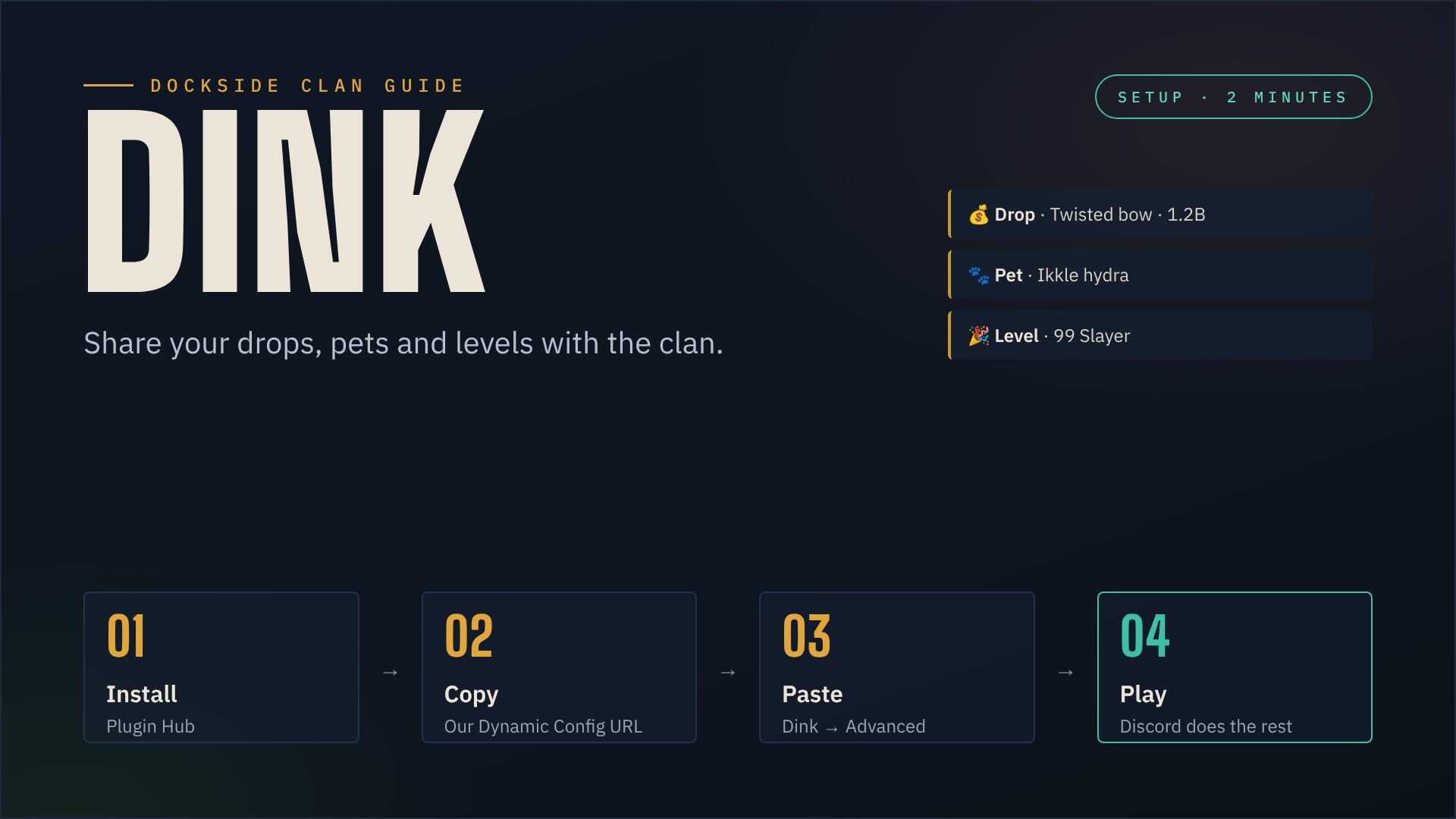
With the RuneLite plugin Dink, your drops, pets, level-ups and other achievements show up in our clan broadcasts channel on Discord – posted by our Dockside bot, so the whole clan can cheer you on. Setup takes about two minutes.
What you need
- RuneLite. Dink comes from the RuneLite Plugin Hub.
- A character in the Dockside clan. We only post for names on our clan list on Wise Old Man.
Step 1: Install Dink
- Open RuneLite and click the wrench icon to open the Configuration panel.
- Open the Plugin Hub.
- Search for Dink and install it.
Step 2: Copy our Dynamic Config URL
This address gives Dink all the right settings for Dockside. Copy it completely:
https://dockside.info/dinkStep 3: Paste it into Dink
- In your plugin list, open the settings of Dink.
- Scroll down to the Advanced section.
- Paste the address into Dynamic Config URL and press Enter.
- Dink confirms in your game chat that it updated its settings. Close and reopen the plugin settings to see them.
That is it. Dink fetches the Dockside settings every time it starts and every few hours, so when we change something, you get it automatically.
What gets posted
- Drops worth 100K or more, with a screenshot.
- Pets and new collection log slots.
- Levels: every 5 levels up to 50, then every single level, and every 99.
- Boss personal bests, your first kill of a boss and every 250 kills.
- Quests, medium and harder diaries, hard and higher combat achievements, and clues worth 100K or more.
- Rare OSRS TCG card pulls, if you play the card game (see below).
Deaths, trades, Grand Exchange offers and your chat are not sent.
Optional: OSRS TCG card pulls
Playing the OSRS TCG card game from the RuneLite Plugin Hub? Your rare pulls can show up in clan broadcasts too, with the card art and its rarity. Dink is already set up for it; you only switch it on once in the card game:
- Open the RuneLite settings and search for OSRS TCG.
- Under Pull notifications, tick Enable Dink notifications.
- Optional: Notify tier decides from which rarity a pull is posted (default: Mythic). Please don’t go lower than Epic, so the channel stays readable.
- Your pulls also appear on the homepage and on the card table in the Hall of Fame.
Good to know
- Dink sends each notification to dockside.info. The website checks that your name is on our clan list and lets the Dockside bot post it in Discord. Drops, pets and 99s also show up on our homepage, in the Hall of Fame with the Drop of the Month, and on the Crew Map – by map area, 15 minutes later and never in the Wilderness. Screenshots go straight on to Discord and are not kept.
- Already using Dink with your own Discord webhook? Our address is added to yours, your own webhook keeps working.
- Have you linked your Discord with
/linkin our Discord? Then the post also mentions you, without pinging you. - To stop, clear the Dynamic Config URL and remove our address from Primary Webhook URLs in Dink, or simply disable the plugin.
Troubleshooting
- Nothing shows up in Discord. Check that Dink is switched on and that your in-game name is on our clan list on Wise Old Man (new members are added within a day). A drop also has to be worth at least 100K.
- Dink says it failed to read the Dynamic Config URL. Check that you copied the whole address, then switch Dink off and on again.
- Still stuck? Open a ticket in our ticket channel.